

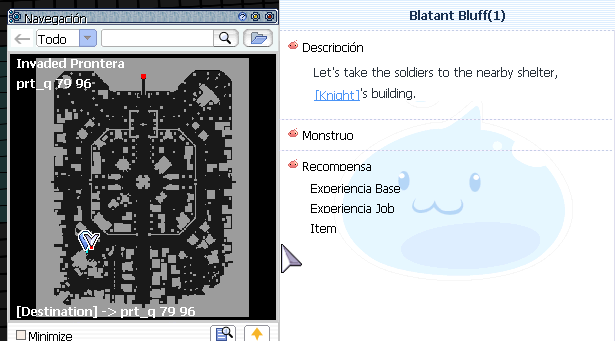
Después de hablar con el primer guardia, la quest te manda a esta ubicación prt_q 79/96 y ahi no hay nada que lo continúe.
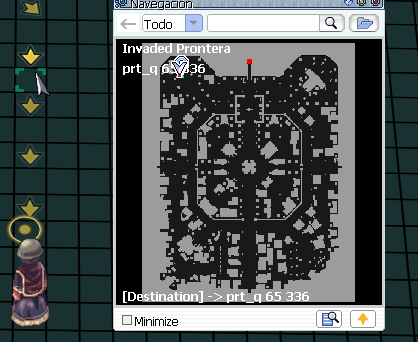
¿Cuándo debería mandarte desde un principio a esta locación? prt_q 65/336, despues de eso ya te da las ubicaciones reales.
A better way to browse. Learn more.
A full-screen app on your home screen with push notifications, badges and more.
Después de hablar con el primer guardia, la quest te manda a esta ubicación prt_q 79/96 y ahi no hay nada que lo continúe.
¿Cuándo debería mandarte desde un principio a esta locación? prt_q 65/336, despues de eso ya te da las ubicaciones reales.
Comentarios recomendados
Join the conversation
Puede publicar ahora y registrarse más tarde. Si tiene una cuenta, iniciar sesión para publicar con su cuenta.