morkayfi
Members
-
Ingreso
-
Última visita
Todo lo publicado por morkayfi
-
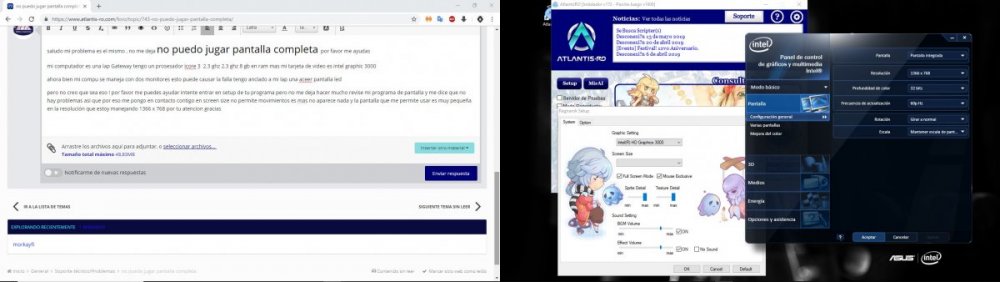
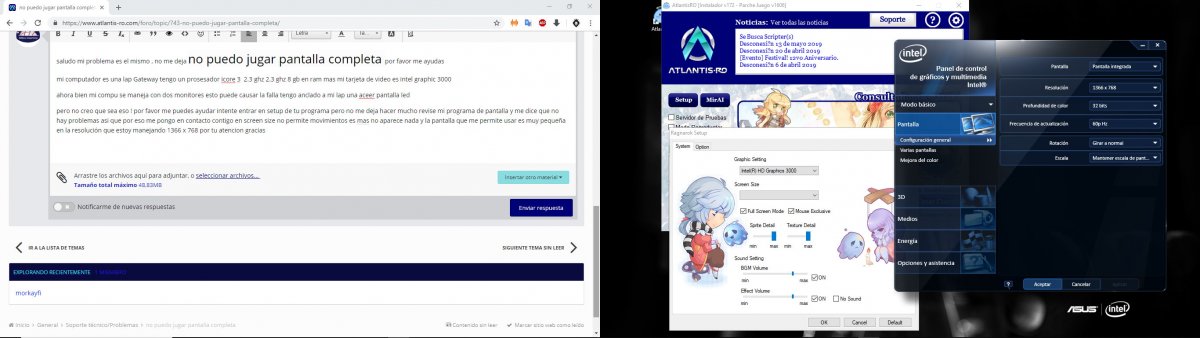
 saludo mi problema es el mismo , no me deja no puedo jugar pantalla completa por favor me ayudas mi computador es una lap Gateway tengo un prosesador icore 3 2.3 ghz 2.3 ghz 8 gb en ram mas mi tarjeta de video es intel graphic 3000 ahora bien mi compu se maneja con dos monitores esto puede causar la falla tengo anclado a mi lap una aceer pantalla led pero no creo que sea eso ! por favor me puedes ayudar intente entrar en setup de tu programa pero no me deja hacer mucho revise mi programa de pantalla y me dice que no hay problemas asi que por eso me pongo en contacto contigo en screen size no permite movimientos es mas no aparece nada y la pantalla que me permite usar es muy pequeña en la resolución que estoy manejando 1366 x 768 por tu atencion gracias