
Black.Of.Neo
Members
-
Ingreso
-
Última visita
Todo lo publicado por Black.Of.Neo
-
 o.o tan poco melones yo doy 500 XD
 -
Hola yo sigo con mi personaje que se pega a cada rato como si el server tiene lag y estoy con la pantalla chica y en mundo gris es lo mismo. no se puede jugar bien asi ?
-
Hola .. despues de la actualización tengo muchos problema con mi personaje se quedan pegado a cada rato. se me hace imposible hacer instace o limar estaba todo bien ante.de la actualizacion porfavor o espero que soluciones el problema - aa y hable con un gm y vi lo !pig y no tengo problema de internet y tampoco de pantalla esta todo bien eso. ayudaa porfavor
-
yo ya perdi dos instaces ogh y kimi =C
-
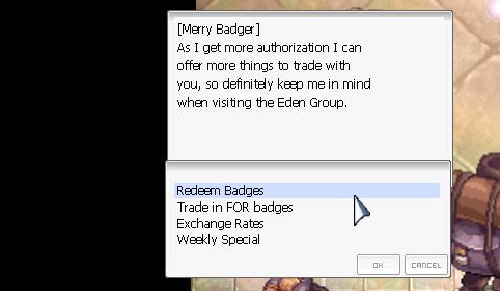
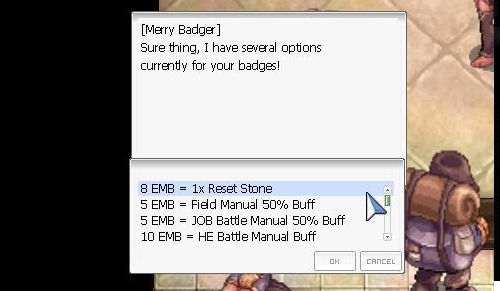
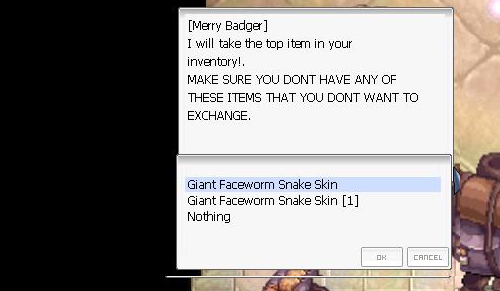
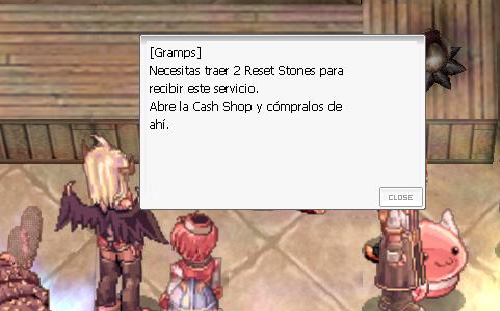
Hola vaGanciaaa para sacar la membresia tiene que tener 2 Reset Stone. vale 8 Merry Badger la puede sacar con la mantas Gigant Snake Skin sin slot que cada una de ellas te dan 5 merry badgen y con slot te dan 7 ... aqui te dejo una foto ojala sea de ayuda ?
-
Hola muaj la skill no esta bug solo tiene que ir al npc donde te cambias bio alchemy donde renaces. solo tiene que hablar de nuevo con el npc y te da la skill Bioethics espero que te sea de ayuda. y mucha suerte ?
-
Hola Imp_Felix bueno yo ocupo este https://calc.irowiki.org/ pero no tiene para rebellion . asi que lo cambie por este que esta mas completo http://ro-calc.de/ cual que cosa me avisa cmo te fue.. ?