Jump to content
View in the app

A better way to browse. Learn more.

Foro AtlantisRO

A full-screen app on your home screen with push notifications, badges and more.

To install this app on iOS and iPadOS
  1. Tap the Share icon in Safari
  2. Scroll the menu and tap Add to Home Screen.
  3. Tap Add in the top-right corner.
To install this app on Android
  1. Tap the 3-dot menu (⋮) in the top-right corner of the browser.
  2. Tap Add to Home screen or Install app.
  3. Confirm by tapping Install.

fresita

Members
  • Ingreso

  • Última visita

  1. fresita empezó a seguir Dohko
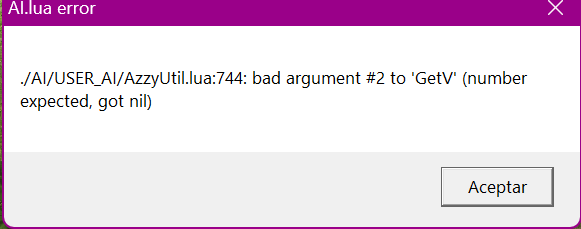
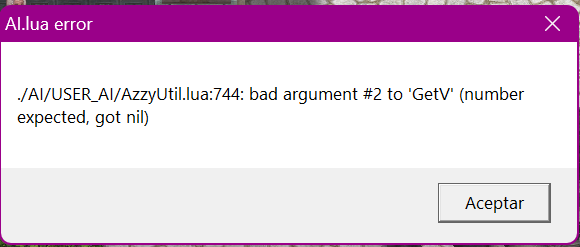
  2. tengo una nueva laptop, instale el ro, pero cuando uso un personaje con homunculo me anda un error no importa que genetic ocupe en cuanto el homunculo empieza a atacar me empieza a aparecer el error y tengo que cerrar el programa

Configure browser push notifications

Chrome (Android)
  1. Tap the lock icon next to the address bar.
  2. Tap Permissions → Notifications.
  3. Adjust your preference.
Chrome (Desktop)
  1. Click the padlock icon in the address bar.
  2. Select Site settings.
  3. Find Notifications and adjust your preference.