Helpoemer
Members
-
Ingreso
-
Última visita
Todo lo publicado por Helpoemer
-
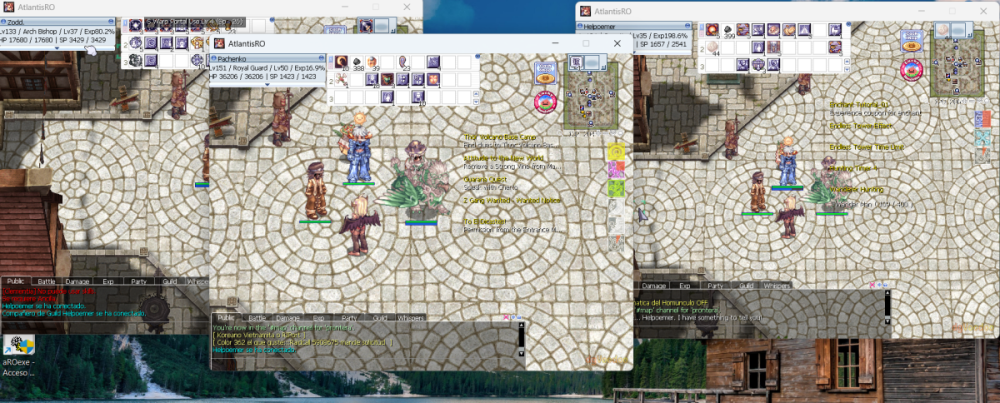
Gracias Dohko, Ya quedó al fregazo, ya puedo entrar con las 3 cuentas.
-
Me pasas de donde bajar directamente el voodoo por favor
-
Buenas noches Dohko, Ya pude modificar el tamaño de la pantalla desde el archivo de texto. Lo que me falta, es que al abrir la segunda cuenta, la primera ya se vuelve injugable, ni tampoco puedo cambiar de pantalla con alt+tab, nada, debo cerrar todo. Solo puedo correr una cuenta a la vez. Pero la primera vez que pude loguear las cuentas para mandar las fotos de que ya pude entrar a 3 que pude recuperar, fue el único día que pude; al día de hoy solo puedo jugar una cuenta solamente. Help pls a mi caso, si alguien más le pasó, igual leo comentarios Se traba la 1er pantalla de RO, al abrir la segunda cuenta. Saludos
-
ya arreglé lo de los tamaños de la pantalla. ¿como le hago para que la segunda cuenta que logueo, no se trabe?, no puedo hacer nada, ni cambiar con alt+tab ayuda por favor
-
¿como le hago para que el ragnarok no sea fullscree?, ya le busqué por todos lados, que me falta???? quiero algo 800x600
-
tengo 3 situaciones: 1.-No logro poner la pantalla como antes, creo era 800x600 (me cubre toda la pantalla, el 1er día me corría fluido las 3 cuentas, ayer 21/09/2026 no lograba correr 2 cuentas, la primera quedaba trabada) 2.-Se traba demasiado el juego al abrir la segunda cuenta, ya moví el setup, pero no logro hacer que corra ya con fluidez, se traba 3.-porqué el homunculus al darle rest, y luego querer sacarlo, me pide seed of life de nuevo, ¿porqué?
-
al parecer ya se está instalando
-
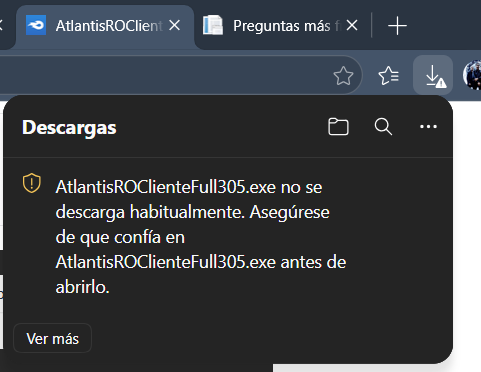
me sale el siguiente error: ¿Cómo se soluciona?
-
ya levanté ticket... veo que sale Saludos
-
un favor, me pasas el link del panel de control por favor, para intentar, si no, pues abro ticket. porque veo el foro diferente a hace años es este el panel?: Panel de Control de AtlantisRO
-
¿Cómo?, el servidor de aRO, donde estaba Aggresor, PapiS, MGB, Exile, No Way, entre otras, ya no existe nada de esas cuentas?, el server tuvo un reset????? Te recuerdo un poco, creo subías guías
-
ojalá se pueda, ya me registré pero con nueva cuenta, porque no recuerdo ni mis accesos anteriores...