
Tabla de líderes


Contenido popular
Showing content with the highest reputation on 01/07/22 en todas las areas
-
1 puntoPor favor prueba utilizando el cliente full: https://www.atlantis-ro.net/descargas/ Sobre los crash si les siguen sucediendo luego de usar el cliente full y son recurrentes por favor junten varios crashlogs y envielos via ticket para que la administración pueda analizarlos y encontrar la causan Saludos!1 punto
-
1 puntoAmbos tienen actualizado el juego? Puede ser algo aislado, pero mejor validar. Si en su momento hicieron la actualización manual no debería ser necesario reinstalar todo el cliente, aunque es la mejor opción para evitar errores. Dejo etiquetado a @Zetsumeipara validar el tema del crash.1 punto
-
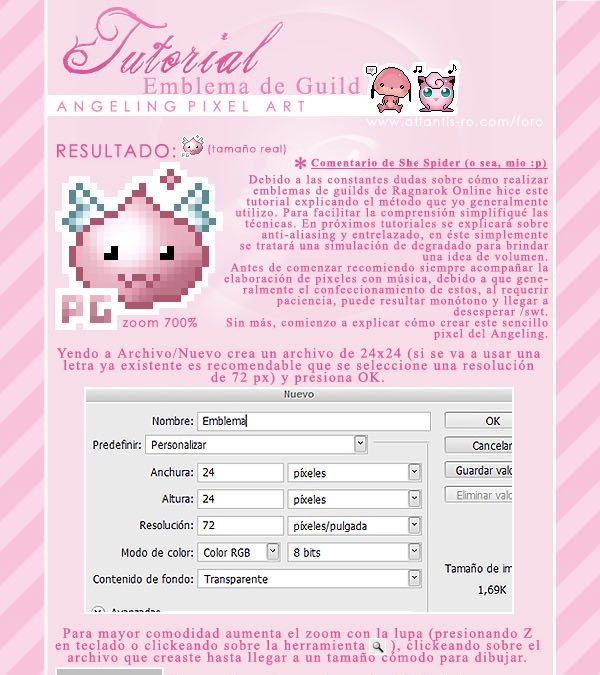
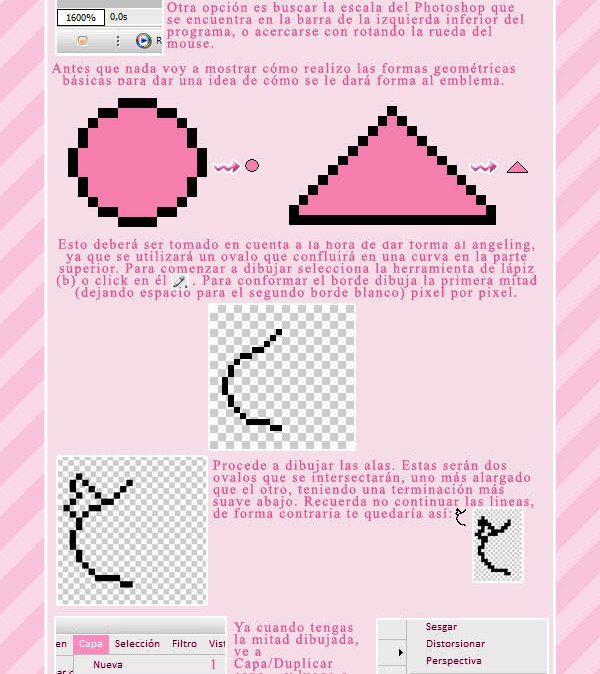
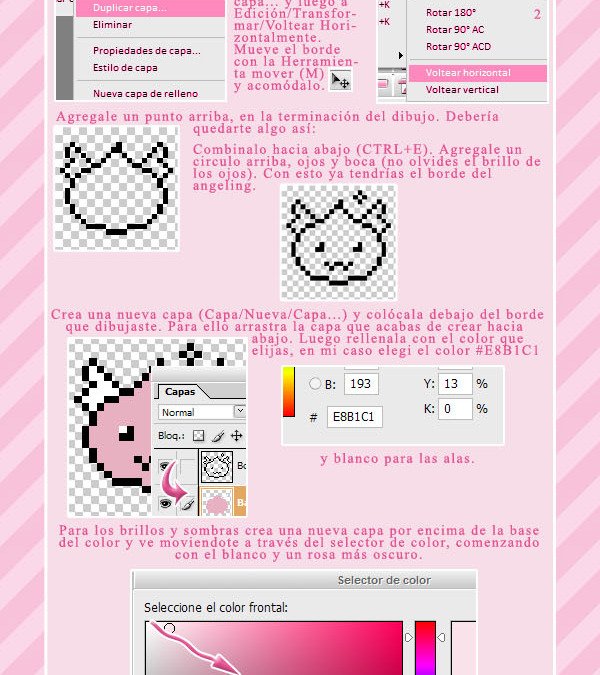
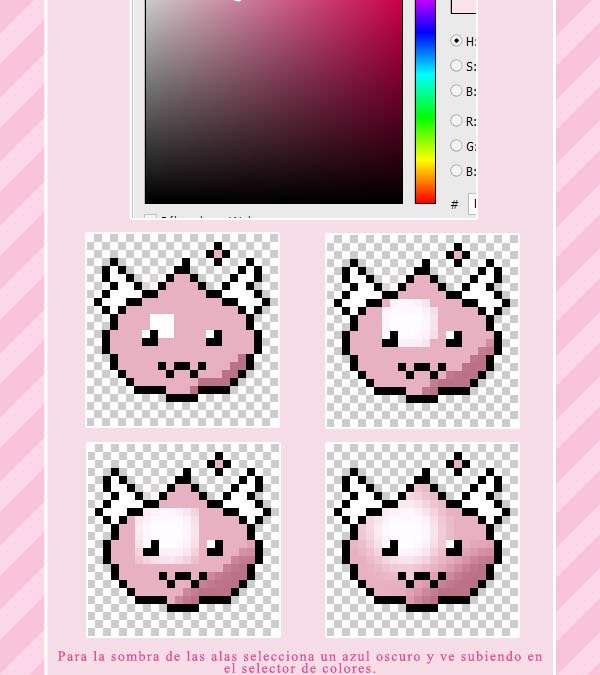
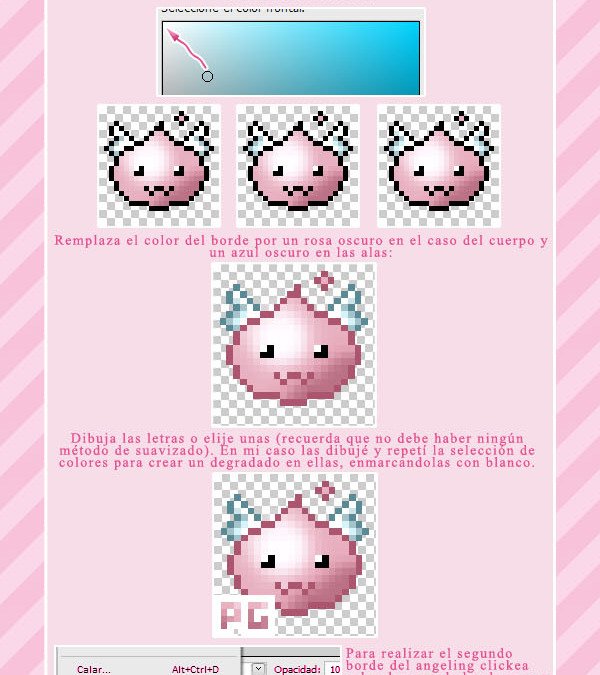
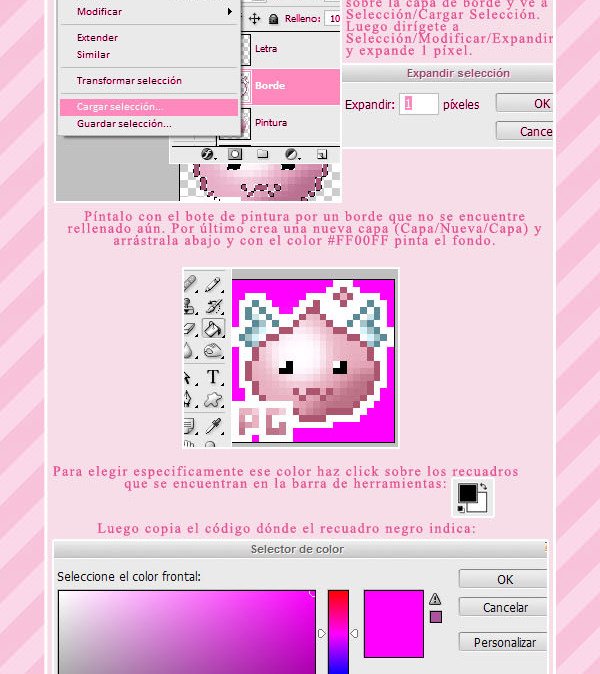
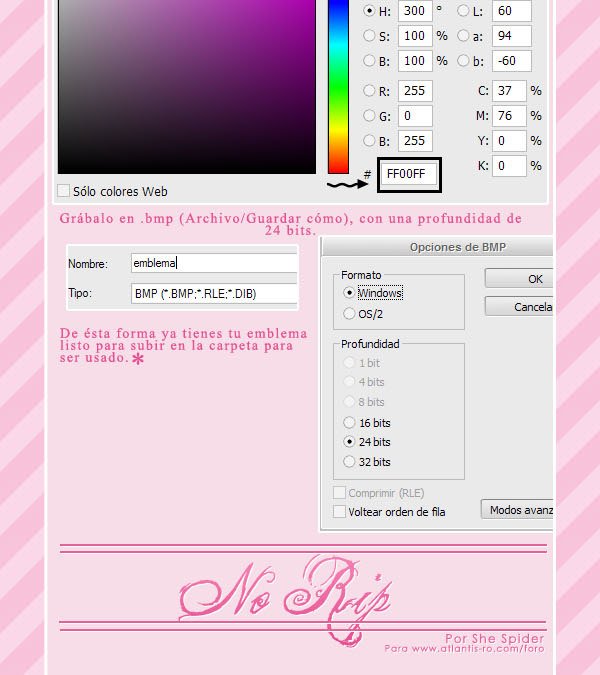
1 puntoA continuación se deja una guía que explica el como crear un emblema de forma detallada: https://www.deviantart.com/shespider3/art/Tutorial-Emblema-Pixel-Art-130879301 Crédito para She Spider.
 1 punto