.jpg.e53c9ac2973cf52c183ed425c5a762d8.jpg)
Lord Nikolai Ivanovich
Moderators
-
Ingreso
Todo lo publicado por Lord Nikolai Ivanovich
-
 Como lo solucionaste? para futuras referencias.
 -
Espero te sea de utilidad.
-
Puedes pedir ayuda a alguien en la ciudad, siempre habrá alguien dispuesto a ayudar.
-
salen en ice dungeon lv 1 matando siromas, son fáciles, pero cuidate del gazeti...
-
la quest de "lost child' es parte de la de rachel santuary, solo que estan separadas, en este punto es conveniente que hagas la quest de los niños perdido para continuar con el resto de rachel. El quest log dice que te quedaste en este punto

-
buscala como nameless island
-
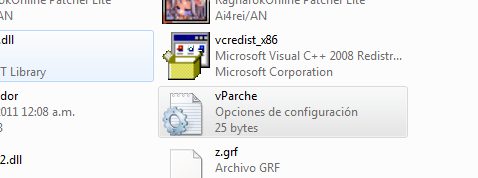
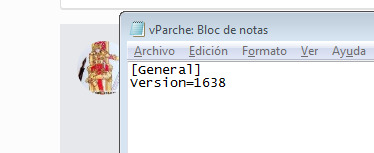
ve a tu carpeta de ro y busca el archivo vParche.ini abrelo como bloc de notas y dime porfa que version te sale? e intenta cambiarla a la 1638, guardas y verificas.
-
Asi es, una vez descargado e instalado abres el juego y solo dejas que se actualice en caso de que tenga alguna actualización pendiente, después de eso ya puedes entrar, no sin antes crear tu cuenta en el Panel De Control para poder crear tu personaje.
-
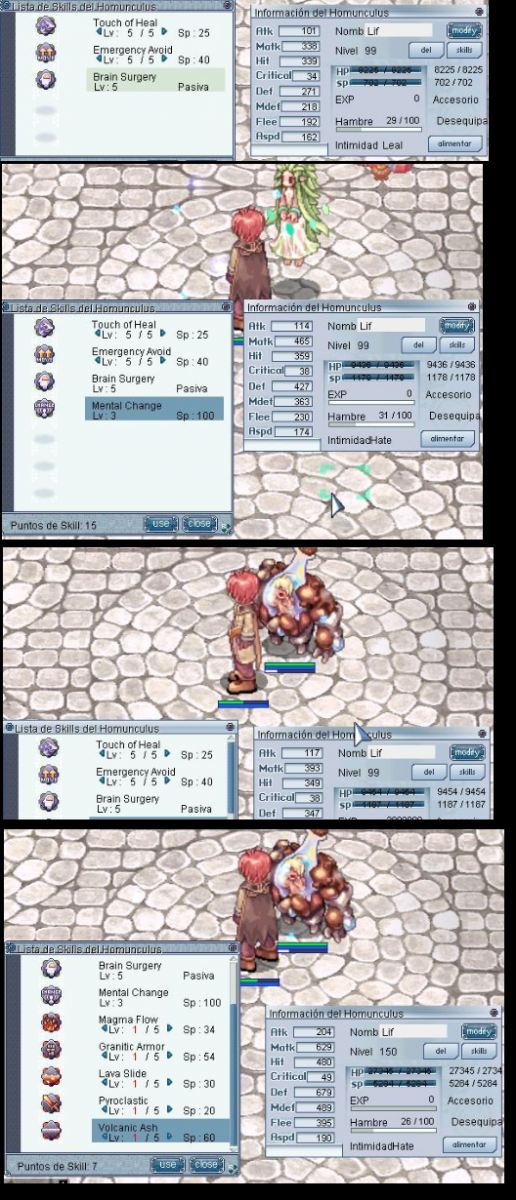
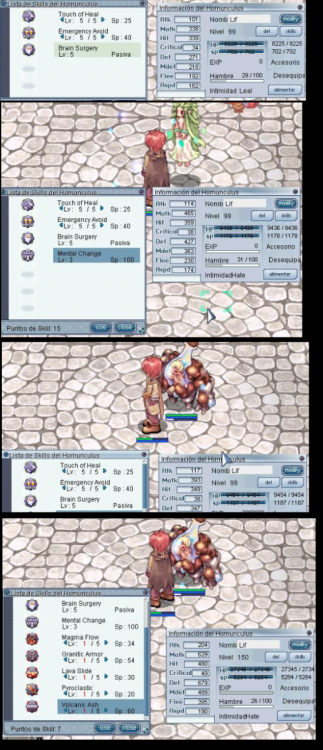
Te sobran de momento porque al evolucionar contara con mas skills, y si después de evolucionarlo lo quieres mutar a homunculo clase "S" tendra aun mas, y aun asi llegado a su lv maximo le sobraran puntos de skills.
-
Que homunculo es? ya lo evolucionaste? que lv es el homunculo? son cosas que ayudaran a saber como proceder con tu duda, ya que si no lo has evolucionado (es decir que tiene su primera forma) entonces aun le faltan skills por subir.
-
Lamentablemente no, este método lleva mucho tiempo implementándose para evitar abusos al dejar personajes AFK, siempre y cuando tu personaje ataque me parece que lo que maté tu homúnculo no se caerá, pero después de cierto tiempo de que tu personaje esté inactivo todo lo que mate tu homunculo volverá a caer al suelo.
-
Dudas comentarios sugerencias o inconvenientes pueden crear su tema correspondiente o bien mandarme mensaje directo, trataré de estar resolviendo dudas y preguntas por varios medios disponibles, dentro de poco estaré avisando los medios. Y gracias nuevamente por incluirme en el equipo de Atlantis ro.
-
Bienvenido, sientete libre de expresar cualquier duda o sugerencia que tenga.
-
si se puede, ocupan ser pareja de hombre y mujer respectivamente, minimo lv 45, Para casarte en Lutie, el padre solo les pide 1,000,000 a cada uno y los casa siguiendo el procedimiento de escribir el nombre de tu pareja primero uno, y despues el otro, al casarte sale en todos los mapas un mensaje de que has contraido nupcias. Otra opcion es que un GM se encuentre en linea y si gusta hacerte el favor el mismo los casa.
-
-
como se llama la guild? y que actividades hace?
-
-
-
-
-
en varias paginas veo que las slug shot se venden en prontera, y no estan, es posible que se pongan donde van, no como quedaran?
-
el de marzo porfa.
-
vere si leveando me salta la animacion de job al subir lv
-
@Zetsumei pues dice que en kRo, y como somos basados en kRo, da esto mismo, entonces si deberia arreglarse no?
-
El inconveniente es que mi rebel llego a job 51, y de ahi la barra de % desaparecio, como indicando que llego al tope, ademas de que ya tengo varios dias en el dungeon de evento y solo subo base, pero ya no job, es esto normal?