Publicado 31 de Mayo del 20215 a Inicio de semana y empezar las partys con Tokio! UNREAL RECLUTA PRONT IZQ.! GGOGOGOGO VAMOS BANDA!
Publicado 31 de Mayo del 20215 a Autor UNREAL GUILD RECLUTA! SOMOS UNA GUILD DE WOE Y PVM! ACTIVOS! BUSCAMOS GENTE NUEVA Y VIEJA, NO IMPORTA DE DONDE SEAS ACA TENEMOS UN LUGAR PARA TI! PRONTERA IZQUIERDA!!! Editado 31 de Mayo del 20215 a por Kades
Publicado 1 de Junio del 20215 a Se parte de la Guild UNREAL ¿¿ Te interesa pasar un buen rato jugando ragnarok ?? Unreal es tu lugar. WOE, pvm, instancias, hocus y eventos propios. Un un player me preguntó una cosa antes de iniciar la WOE, fue cuando estábamos a punto de entrar al castillo. "¿Por qué vas a una guerra ? ¿Qué que son, unos héroes? Entonces no supe que decirle pero si me volvería a preguntar le diría que no. Le diría que de ningún modo. Nadie elige ser héroe... pero a veces las cosas salen así Editado 1 de Junio del 20215 a por lobo
Publicado 1 de Junio del 20215 a Me gusto el banner de Dreyko ...POR ESO NO ME PUEDO QUEDAR ATRAS! EN LA GUERRA DE CARTELES!!! XD Editado 5 de Junio del 20215 a por Mr Roboto
Publicado 2 de Junio del 20215 a Autor UNREAL GUILD RECLUTA! VEN Y SE PARTE DE LA GUILD! PRONTERA IZQUIERDA!!! *NO RECLUTAMOS PARA JUGAR WOES EN OTRA GUILD, RECLUTAMOS PARA NUESTRA PROPIA GUILD.* Editado 2 de Junio del 20215 a por Kades
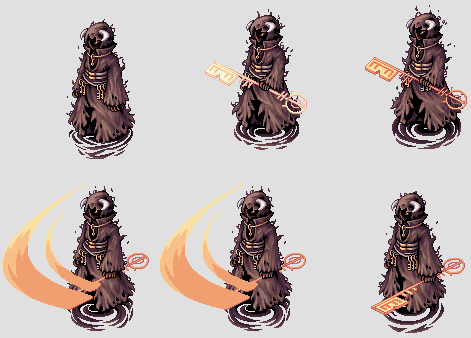
Publicado 5 de Junio del 20215 a Ustedes que me pedian les haga una firma. Editado 5 de Junio del 20215 a por Mr Roboto
Publicado 5 de Junio del 20215 a Objetivo logrado! Nuestra GL finalmente es libre! Editado 5 de Junio del 20215 a por Mr Roboto

Join the conversation
Puede publicar ahora y registrarse más tarde. Si tiene una cuenta, iniciar sesión para publicar con su cuenta.